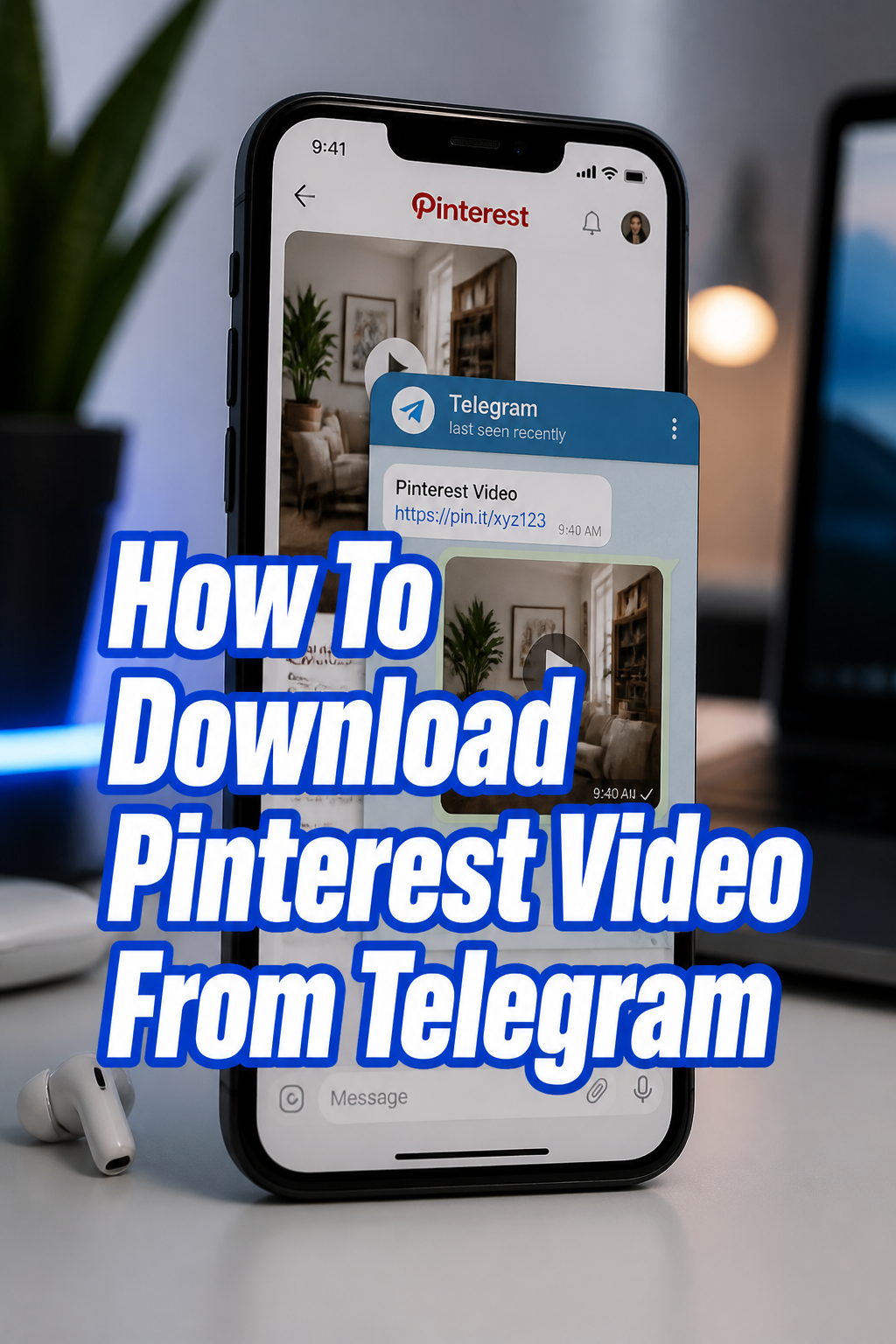
🎥 How To Download Pinterest Video From Telegram
Have you ever stumbled upon a captivating video on Pinterest, wishing you could save it for offline viewing or share it directly? It’s a common desire, and one I’ve personally faced many times. This guide will show you exactly how to do it using Telegram, a method I’ve used successfully for years.
Trust me, downloading Pinterest videos doesn’t have to be complicated, and this step-by-step approach simplifies the entire process. You’ll gain a reliable skill for curating your favorite visual content.

Quick Overview
This guide walks you through the straightforward process of saving Pinterest videos to your device using a Telegram bot. You’ll learn how to grab the video link and effortlessly download it.
- Time needed: 5-10 minutes
- Difficulty: Beginner
- What you’ll need:
- A smartphone or computer
- Access to Pinterest videos
- A Telegram account
- A stable internet connection
Step-by-Step Instructions
Step 1: Find Your Pinterest Video
First, you need to locate the specific video you wish to download on Pinterest. Open the Pinterest app on your mobile device or navigate to the Pinterest website on your computer.
Browse through your feed, search for a particular topic, or visit a specific board until you find the video content that interests you. Make sure it’s an actual video, not a GIF or static image.
Step 2: Copy the Video Link
Once you’ve found your desired video, you need to obtain its unique link. On the Pinterest mobile app, tap on the video to open it fully. Look for the “Share” icon, which often looks like an arrow pointing to the right or a paper airplane.
Tap the “Share” icon, then select “Copy link” from the options that appear. If you’re on a computer, simply click on the video to open it, then copy the URL directly from your browser’s address bar.
Pro Tip: Always double-check that the copied link belongs to the video itself and not just the board or profile it’s on. A correct video link will typically include “pin” in its URL.
Step 3: Open Telegram and Find a Bot
Now, launch the Telegram application on your device. You’ll be looking for a special bot that can handle video downloads. These bots act as intermediaries, fetching the video for you.
In the Telegram search bar (usually at the top), type in terms like “Pinterest video downloader bot” or “video saver bot.” You’ll see a list of potential bots appear.
Step 4: Start the Download Bot
Select a reputable-looking bot from the search results. Look for bots with many subscribers or a verified badge if possible, though many effective bots are community-driven. Tap on the bot’s name to open its chat window.
Once in the chat, you’ll usually see a “Start” button at the bottom. Tap this button to initiate a conversation with the bot. The bot will typically send a welcome message and instructions.
Step 5: Paste the Pinterest Link
With the bot active and ready, paste the Pinterest video link you copied earlier into the chat’s message field. Simply tap and hold (on mobile) or right-click (on desktop) in the message box, then select “Paste.”
After pasting the link, send the message to the bot. The bot will then process the link and attempt to retrieve the video. This usually takes a few moments, depending on the video’s size and your internet speed.
Step 6: Choose Download Quality (if applicable)
Some advanced video downloader bots will offer you different quality options for the video. For instance, they might present choices like “SD” (Standard Definition), “HD” (High Definition), or even different file formats.
If prompted, select your preferred quality. Higher quality means a larger file size. If no options are given, the bot will likely provide the best available quality by default.
Step 7: Save the Video
Once the bot processes the link, it will send the video directly into your Telegram chat. The video will appear as a playable file within the conversation.
To save it to your device, tap on the video (on mobile) or right-click (on desktop). You should see an option like “Save Video,” “Save to Gallery,” or “Download.” Select this option to store the video locally.
Pro Tip: Ensure you have enough storage space on your device before attempting to save larger video files. Check your device’s available storage if you encounter issues.
Step 8: Verify Your Download
Finally, confirm that the video has been successfully saved to your device. Navigate to your device’s photo gallery, video folder, or downloads directory.
Locate the downloaded Pinterest video and play it back to ensure it’s complete and plays without issues. This final check guarantees your effort was successful.
Common Mistakes to Avoid
Using an Unreliable Bot
A common pitfall is using a Telegram bot that is outdated, malicious, or simply doesn’t work. Some bots promise downloads but deliver ads, broken files, or even malware. Always be cautious when interacting with new bots. Stick to well-known ones if possible, or try a different bot if the first one fails to respond or produces suspicious results.
Pasting the Wrong Link
Sometimes users copy a link to a Pinterest board, a profile, or a static image instead of the actual video pin. This will confuse the bot, and it won’t be able to process the request. Make sure the copied URL specifically points to the individual video you want to download. Double-check your link before sending it to the bot.
Ignoring File Size and Storage
Video files, especially in high definition, can be quite large. Users sometimes attempt to download multiple videos without checking their device’s available storage. This can lead to failed downloads, corrupted files, or a full device. Always ensure you have sufficient free space on your phone or computer before starting large downloads.
Disregarding Copyright and Usage Rights
While downloading videos for personal use might seem harmless, it’s crucial to consider copyright. Most content on Pinterest is created by others and might have specific usage rights. Avoid redistributing or using downloaded content commercially without permission. Always respect the original creator’s intellectual property.
Troubleshooting
Bot Isn’t Responding
If the Telegram bot doesn’t send a video after you paste the link, or it gives an error message, there are a few things to try. First, check your internet connection to ensure it’s stable. A weak signal can prevent the bot from communicating properly.
Next, try restarting the bot by typing `/start` in the chat or leaving and rejoining the chat. If the issue persists, the bot might be down or no longer active. In this case, search for and try a different Pinterest video downloader bot in Telegram.
Video Quality is Poor
Sometimes, the downloaded video might have lower quality than expected. This can happen if the original video on Pinterest was low quality, or if the bot automatically provided a standard definition version. Check if the bot offered quality options during the download process.
If it did, try downloading again and selecting a higher quality setting. If no options were given, the bot might not support higher resolutions for that specific video. You might need to try a different bot that explicitly advertises high-quality downloads.
Download Failed or is Slow
A download failure or extremely slow process can be frustrating. The most common culprit is a poor or inconsistent internet connection. Try moving to an area with better Wi-Fi or mobile data signal.
Also, ensure your device has enough free storage space. If your storage is full, the download will fail. Finally, some bots can get overloaded during peak times, leading to slower performance. You might try again later or switch to another bot.
Key Takeaways
- Pinterest videos cannot be downloaded directly from the platform itself.
- Telegram bots provide an effective and user-friendly workaround for saving videos.
- Always copy the exact video link from Pinterest for successful bot processing.
- Be mindful of the bot’s reliability and always choose well-regarded options.
- Ensure adequate device storage and a stable internet connection for smooth downloads.
- Respect copyright and usage rights when downloading content created by others.
Frequently Asked Questions
Is it legal to download Pinterest videos?
Downloading content for personal, offline viewing is generally considered acceptable. However, redistributing, re-uploading, or using copyrighted material for commercial purposes without permission is typically illegal and unethical. Always be aware of the original creator’s rights.
Can I download multiple videos at once?
Most Telegram bots process one video link at a time. While you can quickly paste multiple links one after another, the bot will usually queue them up and send them individually. There isn’t typically a “batch download” feature for multiple distinct videos simultaneously.
What if the video is private?
Telegram bots, like most online downloaders, rely on public access to the video link. If a Pinterest video is set to private, part of a secret board, or otherwise restricted by the creator, the bot will not be able to access or download it. You can only download publicly available content.
Are there other ways to download Pinterest videos?
Yes, besides Telegram bots, there are various dedicated websites and browser extensions designed for downloading videos from Pinterest and other platforms. However, Telegram bots offer a convenient, app-based solution without needing to open a browser or install extensions.
Our Top Recommended Finds
- High-Capacity External Hard Drive: Perfect for storing all your downloaded videos, photos, and other digital content. Keeps your device storage free and organized.
- Fast Internet Service Plan: Essential for quick and seamless video downloads, ensuring you spend less time waiting and more time enjoying your content.
- Ergonomic Smartphone Stand: Great for hands-free viewing of your downloaded videos or browsing Pinterest comfortably, reducing neck strain.
Bringing Your Favorite Pins Offline
You now have a clear, effective method for downloading Pinterest videos using Telegram. This skill empowers you to save inspiring content, educational clips, or simply your favorite aesthetic pins for whenever you need them, even without an internet connection. No more frustration, just seamless access to your visual inspirations.
Why not put this guide into practice right away? Find that one Pinterest video you’ve always wanted to save and give these steps a try. Start building your personal offline library of captivating content today!